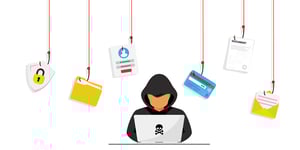
If you use LinkedIn, you may see fake recruiters on LinkedIn or posts about a job scam. Some fake job postings look real, but they are meant to trick job seekers.
A job scam happens when a recruiter or employer seems real, but is not. The scam may use fake profiles and fake job postings to send people to roles that do not exist. The company may be real, but the person or offer is not.
One big warning sign is money. If a recruiter asks you to pay to get a job, be careful. A few real firms do charge for special help, but you should check them closely before you pay.
Scams are growing as more hiring moves online. That can make fake offers feel normal. Scammers also target people who were laid off or who just graduated. In the second quarter of 2022, the FTC said Americans lost $86 million to fake business and job scams.
Job scam warning signs
Employment scams can be hard to spot, so stay alert. Here are some job posting red flags to watch for during hiring:
- Interviews are not held in person or on a secure video call. Instead, they use a video app and an email address rather than a phone number.
- The employer contacts you from a non-company email address or a random chat app.
- You are asked to buy start-up gear, pay for a background check, or share credit card details.
- The job is on job boards but not on the company site. The recruiter or manager may have no profile, or the profile may not fit the role.
- The message or listing has spelling or grammar mistakes. Fake recruiters on LinkedIn and other sites often leave these clues.
What to do if a job lead looks fake
If a job lead seems off, check the company name or the person's name with words like scam, review, or complaint. Search the Better Business Bureau directory, too. Anyone can build a fake website or profile, so take your time.
You can also contact the employer directly using contact details you found on your own, not details sent in an unwanted message. Use LinkedIn, Glassdoor, or other job boards to check the company, recruiter profiles, and current or past workers.
Never send money or share private financial data, like a credit card number, during hiring. Some clients and MSPs may ask for a unique ID that includes part of a Social Security number or date of birth. But a full request for private data can be a sign of fraud. Employers should only ask for your Social Security number after you are hired, and you should still confirm their identity in person or on video before you share it.
If you lose money to a job scam, report it to the FTC at ReportFraud.ftc.gov.
Looking out for you
To help protect yourself, Genesis10 says it follows these hiring steps:
- Genesis10 screens applicants through phone, video, and in-person meetings. A candidate may speak with more than one recruiter, and they should explain how they found your contact details and the job info.
- Genesis10 will never ask for payment as part of hiring or onboarding. It will also never send checks to applicants to secure a job.
- Genesis10 will not ask for sensitive personal data, such as a government ID number, by phone or email until a formal written offer letter is signed.
Genesis10 also gets verification calls each week to its main phone line, marketing contacts, branch managers, company leaders, recruiters, and account executives to confirm job leads and identity.
Check things carefully before you apply. If something feels off, trust your gut and move on. These steps can help you learn how to avoid job scams and protect your money and data.
If you think a message or job lead from Genesis10 may not be real, contact the team.
Q&A
Question: What is one of the biggest warning signs that a job lead may be a scam?
Answer: A major red flag is being asked to send money, buy gear, pay for a background check, or share credit card details during hiring. Real employers should not ask you to pay to get a job, and Genesis10 says it will never ask candidates for payment as part of hiring or onboarding.
Question: How can I check whether a recruiter or job lead is real?
Answer: Research the company and the person who contacted you using sources you find on your own. Search the company or recruiter name with words like scam, review, or complaint, check the Better Business Bureau directory, and review company and recruiter profiles on LinkedIn, Glassdoor, or other job boards. You can also contact the employer directly using contact details you found yourself, not details sent in an unwanted message.
Question: Should I share my Social Security number or other private data during the application process?
Answer: Be very careful. Some clients and MSPs may ask for a unique ID that includes limited personal details, but a full request for sensitive data can be a sign of fraud. Employers should only ask for your Social Security number after you are hired, and you should still verify their identity in person or over video before sharing it.
Question: What should I do if I lose money to a job scam?
Answer: Report the scam to the Federal Trade Commission at ReportFraud.ftc.gov. Reporting can help track fraud and may help protect other job seekers.
Question: What does Genesis10 say candidates can expect from its recruiting process?
Answer: Genesis10 says it screens applicants through phone, video, and in-person meetings, and a candidate may speak with more than one recruiter. Its recruiters should explain how they found your contact details and give you clear job info. Genesis10 also says it will not ask for payment, send checks to secure a job, or request sensitive personal data by phone or email before a formal written offer letter is signed.